
 Kapcsolat
 Hogyan vásároljunk
Kézbesítés
Vásárlási tanácsadó
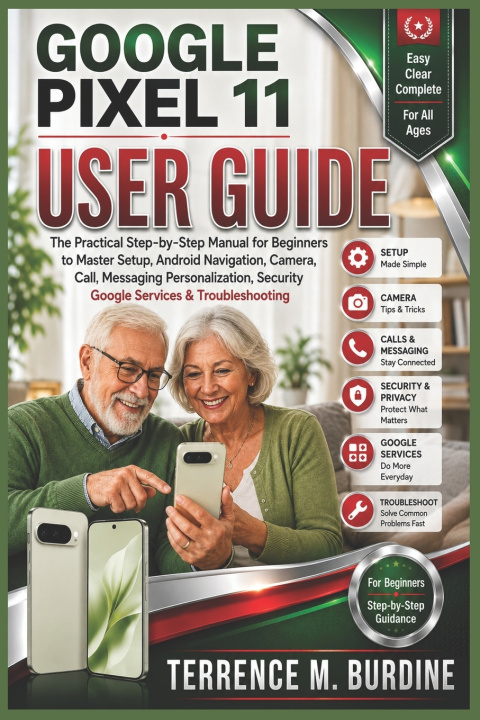
GOOGLE PIXEL 11 USER GUIDE
The Practical Step-by-Step Manual for Beginners to Master Setup, Android Navigation, Camera, Call, Messaging Personalization, Security Google Services & Troubleshooting
 Angol
Angol
 46 b
46 b
 Hamarosan
 Új
Új
Akár 30 napos visszaküldési lehetőség

Get Comfortable With Your Google Pixel 11-One Step at a Time
Getting a new smartphone can feel overwhelming when you're unsure where to begin. The Google Pixel 11 User Guide is designed as a practical, beginner-friendly companion for users who want clear instructions for setting up, navigating, personalizing, and using their device with greater confidence.Written in a straightforward step-by-step style, this guide takes you from the initial setup through everyday communication, photography, personalization, security, and common troubleshooting tasks. You don't need advanced technical experience to follow along.
Inside this guide, you'll learn how to:
- Set up your Pixel 11, connect to Wi-Fi, activate a SIM or eSIM, sign in with a Google Account, and transfer information from another phone.
- Navigate the Home screen, manage notifications and Quick Settings, customize wallpapers and themes, adjust the Lock screen, and organize apps and widgets.
- Make and receive calls, send text and multimedia messages, and use video calling services for personal conversations, meetings, and online communication.
- Use the Camera app, take better everyday photos, improve focus and lighting, record videos, edit media, and share your photos and recordings.
- Protect your device and personal information with appropriate screen-lock, account, privacy, and security settings.
- Identify and work through common problems involving performance, battery drain, Wi-Fi connections, apps, charging, and other everyday device issues.
Built Around Real-World TasksThis is a hands-on reference for people who want to accomplish everyday tasks without unnecessary complexity. From powering on and completing the initial setup to transferring personal information, making calls, capturing memories, customizing the interface, and resolving common problems, the guide keeps the focus on practical use.
The Google Pixel 11 User Guide is an independent instructional publication for users of the Google Pixel 11 and is not affiliated with or endorsed by Google.If you're ready to become more comfortable with your device and work through its essential functions step by step, scroll up and grab your copy today.


Információ a könyvről
Angol

Ajándékozza oda ezt a könyvet még ma
Nagyon egyszerű
1 Tegye a kosárba könyvet, és válassza ki a kiszállítás ajándékként opciót 2 Rögtön küldjük Önnek az utalványt 3 A könyv megérkezik a megajándékozott címéreSzia! Libroamiko vagyok, a könyvtanácsadód.
Miben segíthetek?